Directions:
- Press the PWR button to power on your RocketBoard (yellow LED blinks).
- Enter your board’s 5-digit ID and click Connect Sensor.
-
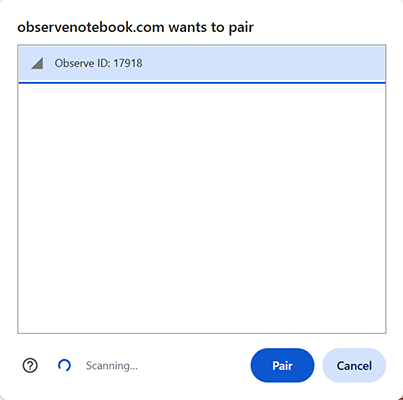
Select your board and click Pair.
- Select a sensor from the Select Sensor pull-down menu.
- Accelerometer: X, Y, and Z acceleration in m/s^2.
- Barometer: Pressure in kPa and temperature in degrees Celsius.
- Select a Sample Rate from the pull-down menu.
- Click Start Collection to log data; click Stop Collection to finish.
- Clear Graph resets the table and graph; Capture Graph copies the graph to the clipboard; Export/Import saves/opens a CSV-formatted data file.
- Click to pick your next activity!